DistroKid
- 4.7
- Rating
- 1.00M
- Installs
- Free
- Price

 Analysis by App-foxy
For an independent musician, getting a finished track onto streaming services can feel like a second job after the creative work is done. I found DistroKid most useful when I treated it as a release-control app rather than a music player: I prepared the details, checked the files, and used my phone to keep the distribution process moving while away from my computer. That mobile focus matters because a release rarely happens in one perfectly organized sitting.
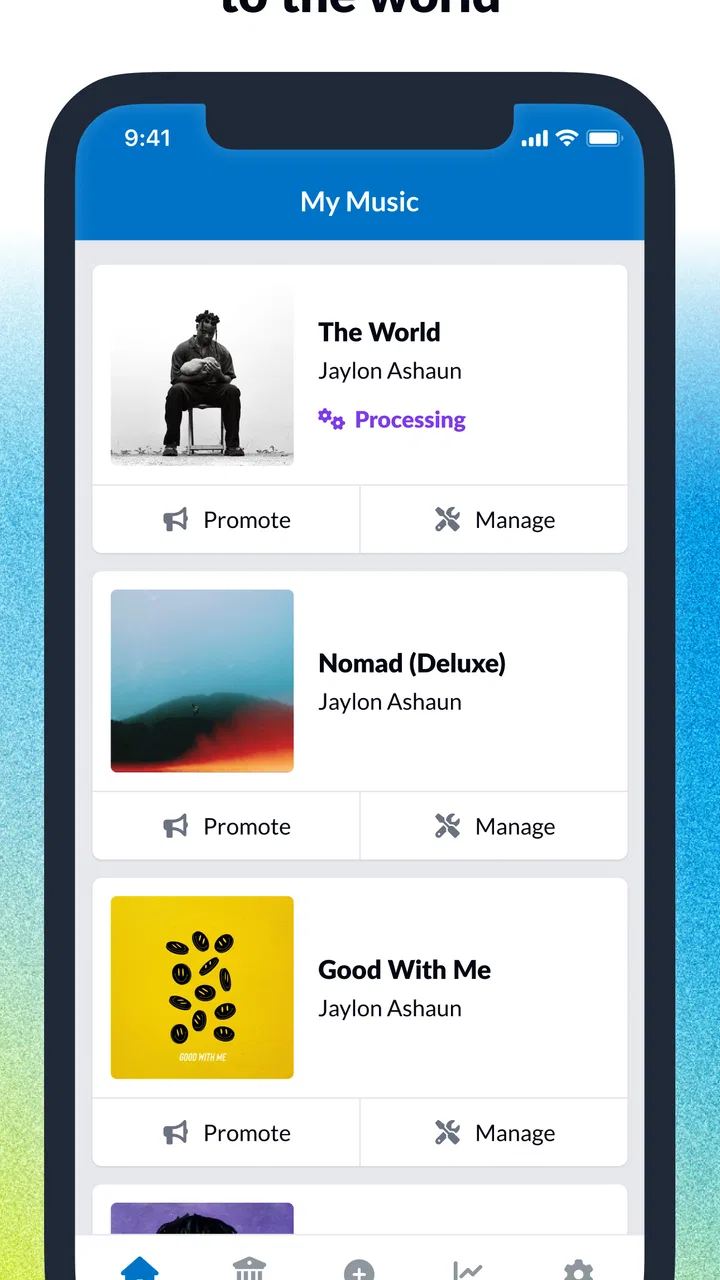
Developed by DistroKid, this free Music & Audio app is aimed at artists who want to distribute their own recordings. Its central appeal is straightforward: upload music, send it toward digital platforms, and retain the earnings associated with your work. The app has a 4.8 average from around 17 thousand ratings, with more than 500 thousand installs, so it has clearly found an audience among musicians who prefer a direct distribution route.
I would not describe it as a tool for making beats, recording vocals, or polishing a mix. It sits later in the workflow. You still need a properly finished master, suitable artwork, accurate credits, and a release plan before the app can do much for you. Once those pieces are ready, it can reduce the distance between “my song is finished” and “my song is being submitted.”
You May Also Like

 Blood Strike: 2.5 Anniversary
Blood Strike’s Loadouts Turn Every Drop Into a Tactical Gamble
A close look at Blood Strike’s custom loadouts: how fast access to signature weapons reshapes its battle royale rhythm, rewards preparation, and narrows the gap between fights.

 Pandora - Music & Podcasts
Pandora’s Music Is Easy to Start, but Harder to Recover
Pandora’s strength is its low-effort path from a seed to a station. Its weak spot is how much confidence it asks you to place in connection, setup, and quiet recovery.

 8 Ball Pool
 Is Built on Rivalries, Rematches, and Routine
A close look at the rivalries, rematches, shared routines, and unanswered safety questions that turn a quick pool match into a persistent mobile community.

 Samsung Music
’s Quiet Strength Is Playing What You Already Own
Its reach comes less from spectacle than from dependable access to a personal library. That simplicity is both the app’s strongest retention engine and its ceiling.

 AccuWeather: Weather Radar
AccuWeather Review: A Quick, Clear Forecast for Everyday Decisions
For everyday plans, the best forecast is the one you can understand quickly. AccuWeather makes rain timing, radar, and local conditions easy to act on, with a few trade-offs.

 Hill Climb Racing
Why Hill Climb Racing Still Turns Crashes Into One More Run
A tiny car, a bumpy hill and one more upgrade: Hill Climb Racing keeps resurfacing because its simple chaos makes every near-miss feel personal.
More From Our News Desk
View All News


Where the network becomes part of the release experience
The most important thing to understand is that DistroKid is closely tied to connectivity. Uploading an audio master, sending artwork, entering release information, and checking the status of a submission all depend on communication with the service. A strong connection makes the process feel simple; a weak or unstable one turns even a small release into a stop-and-start task.
I noticed that the app is easiest to use when I plan the upload rather than treating it as something to squeeze into any spare minute. A completed song may be on the phone, but that does not mean the release is ready. I prefer to gather the final audio, cover image, artist spelling, song title, credits, and release timing first. That preparation reduces the chance of losing momentum when the network slows down or the app needs another attempt.
Connectivity also affects confidence. When an upload is progressing normally, I can move on to another task. When the connection drops during a large file transfer, the uncertainty is more frustrating than the waiting itself. I therefore avoid starting an important release while moving between unreliable networks. A stable home connection or dependable mobile data is a much better setting than a crowded public hotspot.
There is a useful distinction between using the app to prepare a release and using it to complete the online handoff. I can organize my materials on the phone before opening the submission flow, but the actual distribution step is an online activity. That makes DistroKid a practical companion for release management, not a replacement for local file organization or a dedicated desktop audio setup.
For artists who regularly upload singles, this connected workflow can become routine. For someone releasing a full album with many tracks and complicated credits, the same process deserves more patience. Every field becomes more important when repeated across a larger project, and a connection problem at the wrong point can make a long session feel unnecessarily fragile.
Why mobile access is genuinely useful
The app makes the most sense in the moments when I am not sitting in front of a studio computer. I might finish a cover image during a commute, receive a corrected master from a collaborator, or remember an important credit while away from my desk. Having distribution tools on a phone means I can respond to those situations instead of waiting until I return to a larger setup.
A realistic example is a singer-songwriter preparing a single for the next week. The final WAV file is already stored on the phone, the artwork has been exported, and the artist notices that the producer credit needs correcting. With DistroKid, that person can review the release information and continue the submission from a mobile device, provided the connection is reliable. The advantage is not musical creation; it is removing one more barrier between the finished materials and the release process.
Mobile access is also helpful for artists who divide responsibilities. One person may handle recording, another may manage artwork, and the artist may be responsible for the final upload. A phone-based workflow makes it easier to coordinate those handoffs. Still, I would keep a written checklist outside the app. Small mistakes in names, titles, or credits are easier to prevent before the upload than to correct after distribution has begun.
The phone screen is a strength for quick checks but a limitation for deep review. I find it comfortable for confirming basic release details and checking progress. I am less comfortable using a small display for comparing multiple versions of artwork, reviewing a long list of collaborators, or managing a complicated album with many variations. For those jobs, a computer and a folder structure remain more efficient.
That trade-off is important for first-time users. The app feels approachable when the release is already organized. It feels less forgiving when the phone is also being used as a temporary studio archive, an artwork editor, a messaging tool, and the only place where credits are stored. I recommend treating it as the final distribution station, not the entire production office.
What happens when an upload does not go smoothly
Connectivity problems are not just an inconvenience; they can change how I schedule a release. If the connection fails during an upload, I do not immediately assume that the release has disappeared or that I should submit it repeatedly. I first check the visible status, confirm whether the file appears to have been accepted, and avoid creating duplicate work until the account reflects the latest attempt.
That cautious approach is especially useful when working with a deadline. Repeated taps can create confusion, while a short pause and a fresh status check usually gives me a clearer picture of what happened. I also keep the original audio file and artwork untouched until the release process is clearly complete. This simple habit makes recovery easier because I can retry from known-good files instead of searching through renamed copies.
Another practical safeguard is to keep release details in a separate note before starting. I write down the exact artist name, track order, credits, and intended date. If the app closes or the connection becomes unreliable, I do not have to reconstruct the submission from memory. This is one of the less obvious ways to make a mobile distributor feel dependable: the app handles the online step, while I maintain a local backup of the decisions that matter.
I also avoid making last-minute changes while connected through unstable mobile data. A release is not the right place to test whether a network will hold for a long transfer. If I have already invested time in mastering and artwork, waiting for a better connection is cheaper than rushing and then wondering whether the submission was interrupted.
Recovery is easier for a single than for a large release. With one track, I can verify each field and try again without too much overhead. With an album, I prefer a staged approach: prepare the complete project, check every item, then submit when I know the connection and files are ready. The app is more useful when I bring that discipline to it.
Using mobile data without wasting it
DistroKid is free to install, but the wider service includes in-app purchases priced from $24.99 to $269.99 per item. That makes it important to separate the app download from the cost decisions connected with using the distribution service. I would not begin a release assuming that “free” means every distribution option has no charge. Before committing, I would review the plan or purchase information presented in the app and make sure it fits the release strategy.
Large audio files can also make mobile-data planning relevant. I prefer Wi-Fi for uploading masters and artwork, especially for an album or a high-resolution file. Mobile data is more suitable for checking release information, reviewing progress, or handling a small correction when I already know the connection is stable. This does not make the app difficult to use; it simply means the upload stage deserves the same practical planning as any other file-transfer task.
A good data-conscious workflow starts before opening DistroKid. I export the final files once, give them clear names, and remove obvious duplicates from the phone. I do not repeatedly upload slightly different versions just because I am uncertain which one is correct. That saves data and, more importantly, reduces the risk of distributing the wrong master.
I also keep artwork at hand in the exact version I intend to submit. Switching between editing apps and the distributor while using mobile data creates more opportunities for confusion. A prepared release folder is faster, lighter on data, and easier to audit. The app works best when the creative decisions have already been made elsewhere.
Artists working with limited connectivity should think about timing. An upload started just before leaving Wi-Fi may become a poor experience if the phone changes networks midway. I would rather begin when I know I can stay connected than rely on the phone to manage a changing signal. That advice is particularly relevant for musicians using older devices or minimum-supported systems, where switching between apps may feel less fluid.
How it compares with familiar alternatives
Compared with sending music through a label, DistroKid gives independent artists more direct control over the submission process. That can be liberating if I already understand my metadata and release schedule. The trade-off is that I am also responsible for preparing everything correctly. A label or manager may provide another layer of review; this app does not replace that kind of human oversight.
Compared with a desktop-only distributor, the mobile app is more convenient for quick access and status checks. I can handle release tasks from places where a laptop would be awkward. The desktop alternative may still be better for a large catalog, extensive spreadsheet-based planning, or careful side-by-side review of many tracks and credits.
Compared with a music-hosting or social platform, DistroKid serves a different purpose. It is not primarily about posting a rough demo for immediate feedback or building a listening community inside the app. Its value appears when the recording is finished and the artist wants a structured route toward wider digital availability. Someone looking for collaborative creation, live audience interaction, or detailed audio editing should choose a different kind of app.
The promise of keeping all earnings is attractive for artists who want a direct relationship with their releases, but it should not be confused with a guarantee of audience growth. Distribution can make a song available; it cannot create a marketing plan, improve a weak master, or decide which release timing makes sense. I see the app as infrastructure, not promotion.
Who should use it, and who should skip it
I would recommend DistroKid to independent singers, producers, bands, and small teams that already have finished music and want to manage distribution themselves. It is particularly useful for people who release often, dislike waiting for a computer, or want to check release activity from a phone. The strong user rating and broad install base also suggest that the basic idea is resonating with many musicians.
I would be more cautious if you are releasing your first song and have not learned the basics of metadata, credits, artwork preparation, or master-file quality. The app can help with the distribution step, but it cannot make those decisions for you. A beginner may benefit from having an experienced friend, engineer, or manager review the release before submission.
I would also skip it as a primary solution if your main need is recording, mixing, mastering, playlist discovery, or fan messaging. Those are different jobs. DistroKid becomes valuable after the creative work is ready, and its focused role is a benefit only if that is the problem you are actually trying to solve.
The age rating is Everyone, and the current version is 3.6.1 with support beginning at Android 8.0. That makes it accessible to a wide range of Android users, although I would still consider the phone’s storage, connection quality, and general ability to handle file transfers before relying on it for a deadline.
My connectivity verdict
After using DistroKid as a mobile release tool, I see its biggest strength in flexibility rather than flashy extras. It lets me keep distribution within reach when the rest of the release process is scattered across a studio, a phone, and collaborators. That is valuable for independent artists who need to act quickly without turning every small update into a full desktop session.
Its main friction comes from the same place: the app is connected to an online workflow, so signal quality, file preparation, and patience all affect the experience. I would not begin a major release on uncertain mobile data, and I would never rely on the app as the only copy of my audio, artwork, or credits. Those precautions are not signs that the tool is weak; they are sensible habits for any service handling important files.
My practical recommendation is to use DistroKid with a prepared release folder, a stable connection, and a written metadata checklist. That combination turns the phone from a source of interruptions into a useful control point. If you want direct music distribution and are comfortable taking responsibility for the details, it is a compelling free app to install and evaluate, while remembering that the relevant in-app purchase options range from $24.99 to $269.99 per item.
In the end, I would choose it for a finished single, a regular independent release schedule, or a musician who needs mobile access to distribution tasks. I would choose a different tool for production, promotion, or complex catalog administration. Used for the job it is designed to handle, DistroKid makes connected release management feel much less tied to one desk, one computer, or one perfectly timed upload session.
FAQs for DistroKid
01What is DistroKid and how does it work?
DistroKid is a music distribution service that helps artists and musicians upload their music to various streaming platforms such as Spotify, Apple Music, and Amazon Music. Once you upload your tracks, DistroKid ensures they are available on these platforms, allowing you to reach a wider audience and manage your music from a single dashboard.
02How much does it cost to use DistroKid?
DistroKid offers a subscription model with various pricing tiers. The basic plan starts at a competitive annual fee, which allows you to upload unlimited songs and albums. There are also more advanced plans for artists who need additional features like label support and team management. Always check their official website for the latest pricing.
03Can I keep 100% of my royalties with DistroKid?
Yes, one of the major benefits of using DistroKid is that artists keep 100% of their royalties. Unlike some competitors, DistroKid doesn’t take a cut of your earnings. This model helps independent artists maximize their revenue from music streams and sales, making it a popular choice among musicians.
04How long does it take for my music to appear on streaming platforms?
Typically, music uploaded through DistroKid can appear on streaming platforms within a few days. However, the exact time can vary depending on the platform and other factors. It's always a good idea to plan your release in advance to ensure it’s available on the desired date across all platforms.
05What kind of customer support does DistroKid offer?
DistroKid provides a range of customer support options, including a comprehensive help center and a ticket-based system for more personalized assistance. While they do not offer phone support, their online resources and email support ensure that artists can resolve issues or get answers to their questions efficiently.
Pros
- Unlimited song uploads for one price.
- Keeps 100% of your earnings.
- Wide distribution network coverage.
- Easy to use interface.
- Fast release times.
Cons
- No free trial available.
- Limited customer support options.
- Some features require extra fees.
- No built-in mastering tools.
- No detailed analytics reporting.

DistroKid
Gallery